Operations
Task Management
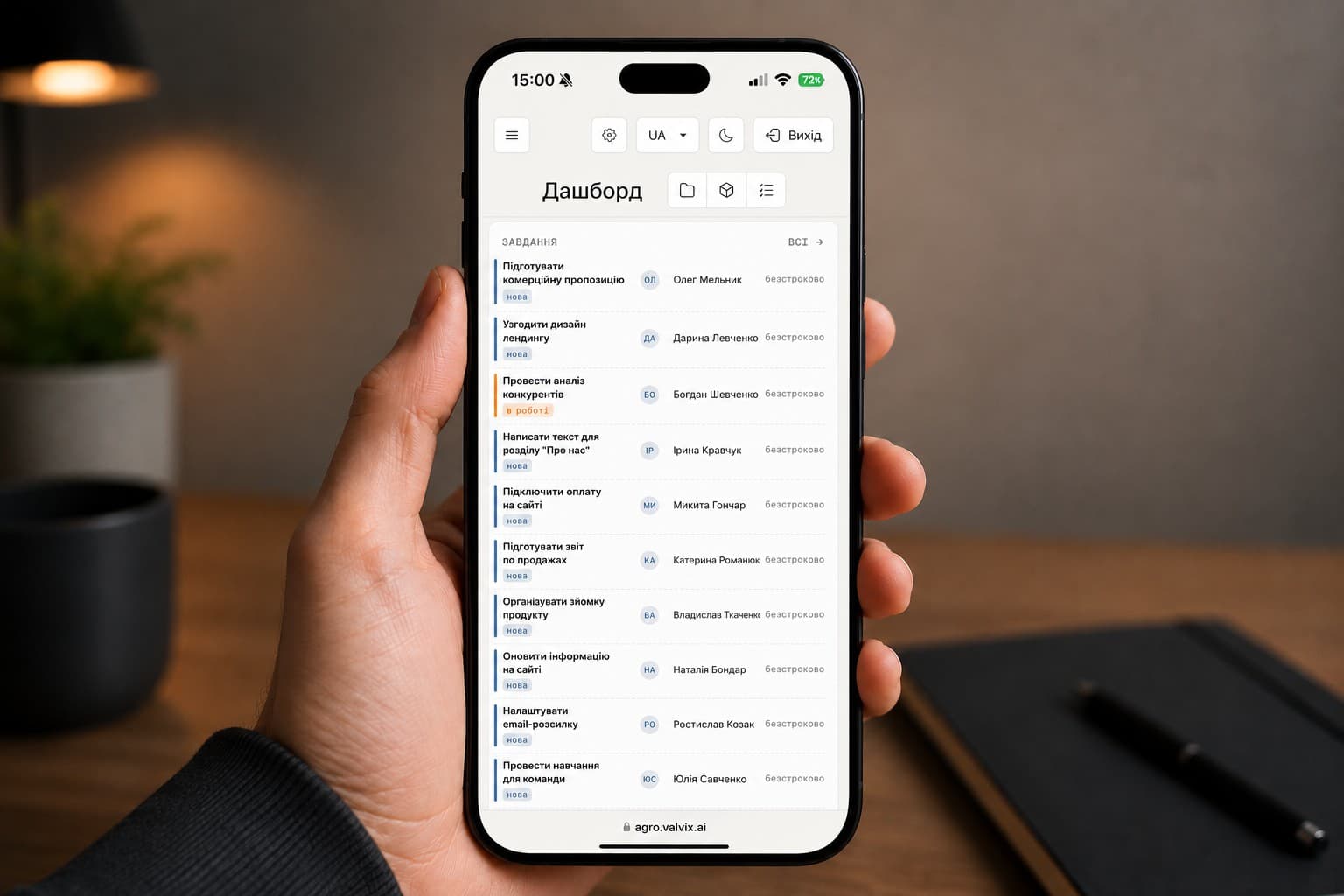
Valvix creates, assigns, and tracks operational tasks across your team — with automatic task generation based on sensor readings and scheduled maintenance.
- Reduction in missed tasks
- 80%
- Tasks created from sensor alerts
- Auto
- Task status visibility
- Real-time
The Problem
In busy growing operations, tasks fall through the cracks. Verbal instructions are forgotten, paper checklists go missing, and there's no way to verify that routine maintenance actually happened. When something goes wrong, no one knows whether the preventive task was done.
No way to verify routine maintenance was actually completed
Reactive only — tasks aren't created until a problem is visible
No connection between sensor readings and the work orders they should trigger
How Valvix Solves It
Alerts automatically generate work orders
When Valvix detects an issue, it creates a task in the system — 'Check heating valve in zone 3' — and assigns it to the responsible person.
Manual tasks are created from the app
Any team member can create a task, assign it, set a deadline, and attach photos or notes.
Workers receive tasks on their phones
Assigned tasks appear in the Valvix app with all context — what to check, where, and by when.
Completion is logged with a timestamp and photo
Workers mark tasks complete in the app. Optional photo confirmation provides a record that the work was done correctly.
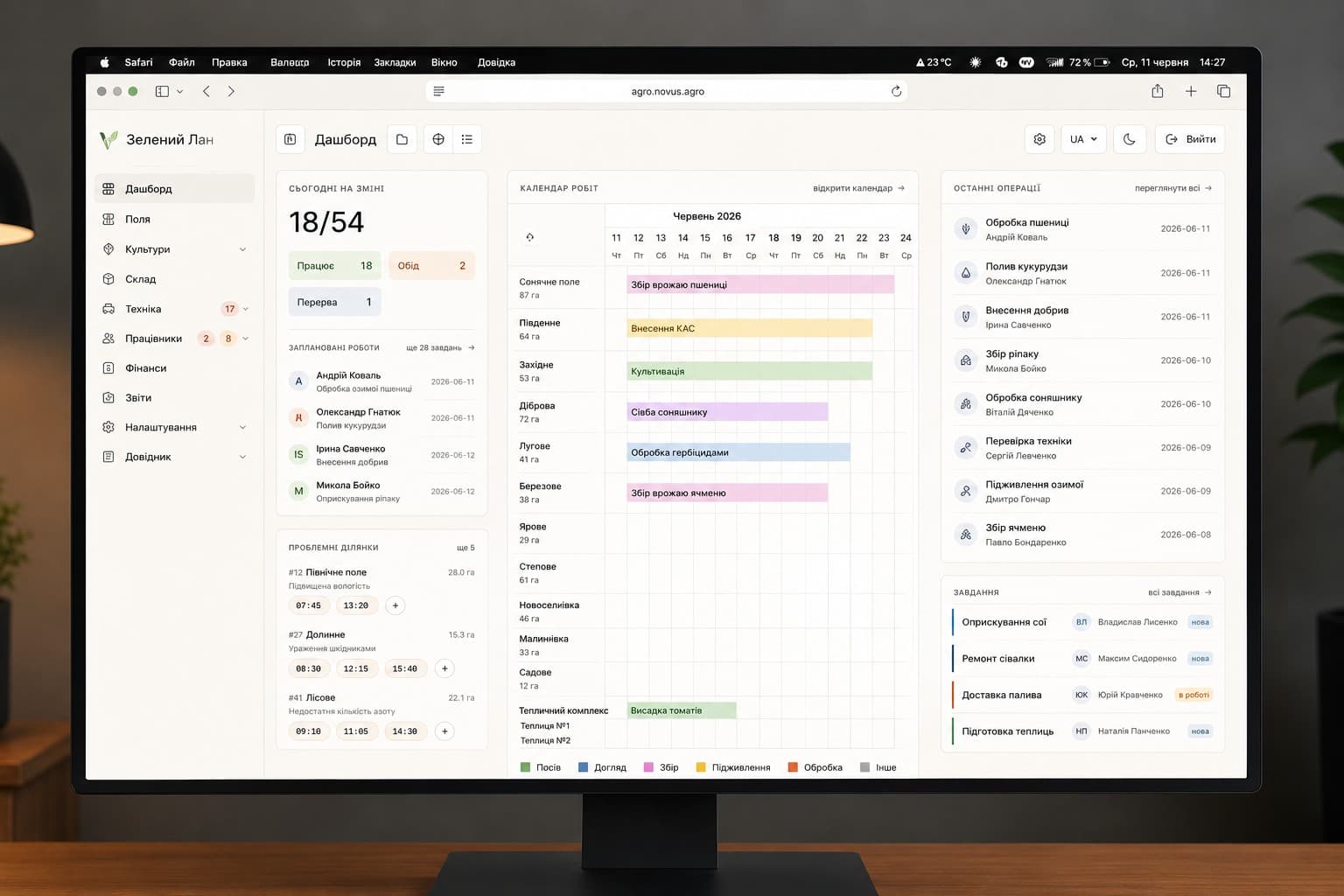
Managers see task status in real time
The task dashboard shows open, in-progress, and completed tasks across all zones and team members — at a glance.
Real Installations
What You Get
Auto-generated tasks
Sensor alerts create work orders automatically — nothing falls through the cracks
Mobile task receipt
Workers receive tasks on their phones with full context and location
Photo confirmation
Optional photo proof that the task was completed correctly
Deadline tracking
Tasks have deadlines and escalate automatically if not completed on time
Team performance overview
See task completion rates per person over any time period
Linked to sensor data
Every task links to the sensor reading or alert that triggered it
Common Questions
Can tasks be created from any alert type?
Yes. You can configure Valvix to automatically generate tasks from any alert type — sensor threshold breaches, equipment faults, missed irrigation cycles, and more.
Does the app work offline for field workers?
Task lists are cached on the device. Workers can view and mark tasks complete offline — changes sync when connectivity is restored.
Can I create recurring tasks for routine maintenance?
Yes. Set up recurring tasks on any schedule — daily, weekly, monthly — with automatic assignment to the same person or rotating among team members.
Is there a desktop version for managers?
Yes. The task dashboard is fully functional on the web version at app.valvix.ai — with filter, sort, and export options not available on mobile.
Can workers add notes or photos to completed tasks?
Yes. Workers can add text notes and up to 5 photos when marking a task complete. These are stored with the task record indefinitely.
Ready to automate your operation?
Free consultation · No obligation
Request a Demo →Explore More Applications
Resource Management
Inventory & Resources
Valvix tracks your inputs — water, fertilizer, materials, and fuel — across every zone and cycle, so you always know what you've used, what's left, and what to order.
Read more
Data & Reporting
Farm Analytics
Valvix turns raw sensor data into actionable insights — correlating environment, inputs, and yield so you can make better decisions every growing cycle.
Read more
Climate Control
Climate Automation
Valvix maintains ideal growing conditions automatically — controlling ventilation, heating, cooling, and humidity based on live sensor data, not manual settings.
Read more